

TF State & Backend Management
Implement and maintain state 16%
Objective
- 7a Describe default
localbackend - 7b Describe
state locking - 7c Handle
backendand cloud integration authentication methods - 7d Differentiate
remote state backendoptions - 7e Manage
resource driftand Terraform state - 7f Describe
backendblock and cloud integration in configuration - 7g Understand
secret managementin state filesTrack your infrastructure
State ( terraform.tfstate)
Terraform keeps track of your real infrastructure in a state file, which acts as a source of truth for your environment.
- Terraform uses the state file to determine the changes to make to your infrastructure so that it will match your configuration.
- The command
terraform force-unlockManually unlock the state for the defined configuration.
Protect Sensitive Data in State
TF state can contain sensitive data, depending on the resources in use and your definition of "sensitive."
- When using
local state, state is stored in plain-text JSON files.
When using remote state, state is only ever held in memory when used by Terraform. It may be encrypted at rest
using:
-
The
S3 backendsupportsencryption at restwhen the encrypt option is enabled. IAM policies and logging can be used to identify any invalid access. Requests for the state go over aTLSconnection. -
Terraform Cloudalwaysencryptsstate at rest and protects it withTLSin transit.- Terraform Cloud also knows the identity of the user requesting state and maintains a history of state changes to control access and track activity along with detailed audit logging in TF Eneterprise.
State Manipulation
| command | use |
|---|---|
terraform state list |
List all resources in current state |
terraform state show aws_instance.my_ec2 |
show detail about a resource in instance |
terraform show -json |
provide human-readable JSON output from a state or plan file. |
terraform import aws_instance.foo i-abcd1234 |
import AWS instance into the aws_instance resource named foo |
terraform state rm aws_instance.my_ec2 |
remove a resource from state |
terraform state pull > terrformstate.tfstate |
pull current remote state to local state file |
terraform state push > terrformstate.tfstate |
update remote state from local state file |
terraform state mv aws_iam_role.my_ssorole module.custom_module |
rename resource, move a resource to module. move a moduel to another module |
terraform state replace-provider hashicorp/aws registry.custom.com/aws |
change resource provider |
terraform taint(deprecated in v0.15.2) |
When particular object has become degraded or damaged. Terraform will propose to replace it in the next plan you create. |
terraform refresh(deprecated in v0.15.4) |
Reads the current settings from all managed remote objects and updates the Terraform state to match. |
terraform apply -refresh-only -auto-approve |
Same as refresh v0.15.4+ |
| --- |
Backend
A backend defines where Terraform stores its state data files.
-
A configuration can only provide one
backendblock. -
A
backendblock cannot refer to named values (like input variables, locals, or data source attributes). -
Terraform Cloudautomatically manages state in the workspaces. If your configuration includes acloudblock, it cannot include abackendblock.
Terraform v1.4.x supports the following backend types:-
- local
- remote
- consul
- s3
- http
- kubernetes
- Azure Resource Manager(azurerm)
- Tencent Cloud Object Storage (COS).
- Google Cloud Storage (GCS)
- Alibaba Cloud Stores Object Storage Service (OSS)
- Postgres database (pg)
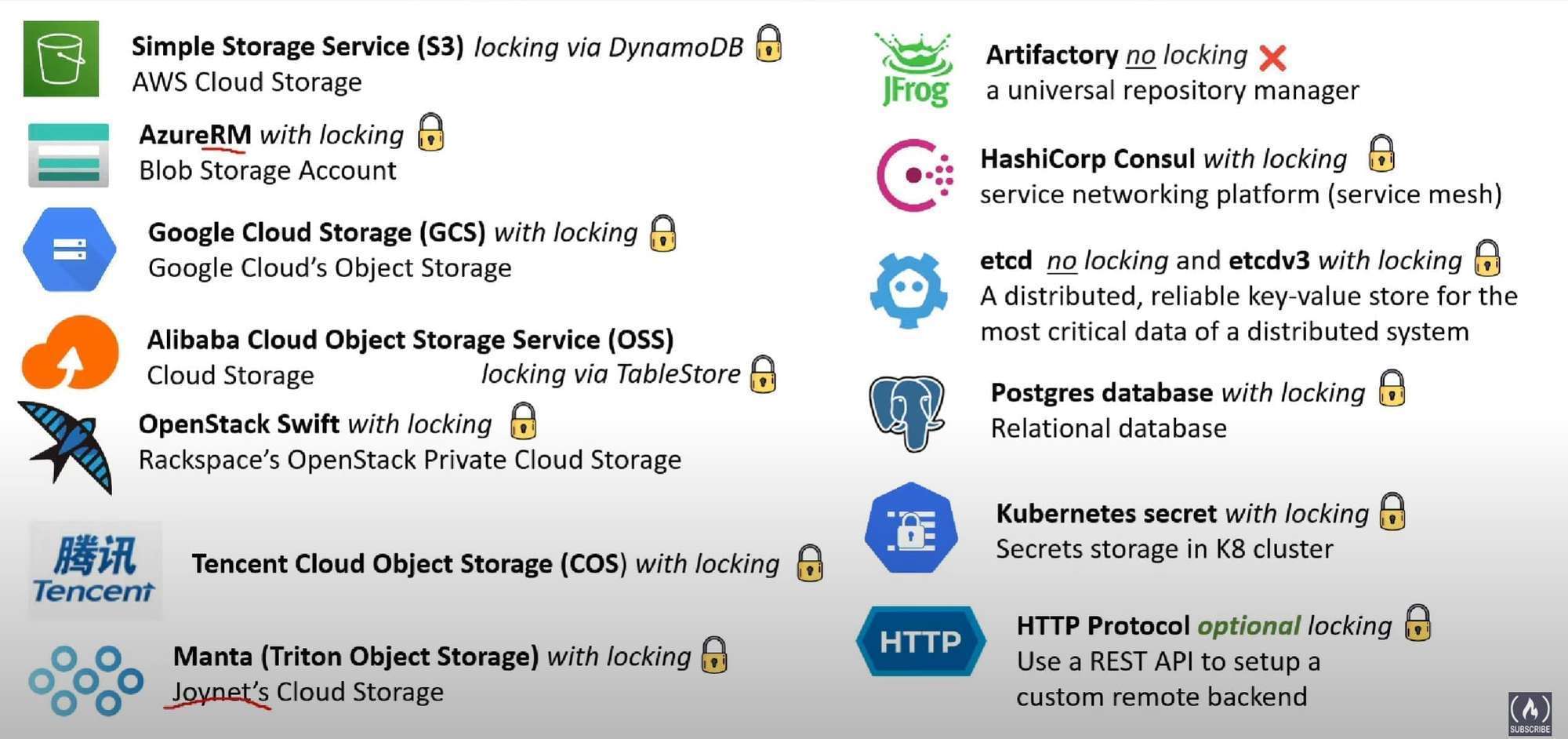
When you change a backend’s configuration, you must run terraform init again to validate and configure the backend
before you can perform any plans, applies, or state operations.
-
Backend types support state locking:- local, remote, azurerm, consul, cos, gcs, http, kubernetes, oss, pg, s3, etcdv3, manta, swift
-
Backend types doesn’t support state locking:-
artifactory, etcd
Terraform v1.2.x also supports following backend types:- artifactory, etcd, etcdv3, manta, swift
Local Backend(
terraform.tfstate)
By default, Terraform uses a backend called local, which stores state as a local file on disk
- by default store state in "
terraform.tfstate" relative to the root module.
Supported Local Backend Configuration variables
-
path- (Optional) The path to thetfstatefile. -
workspace_dir- (Optional) The path to non-default workspaces. Command Line Argumentsterraform { backend "local" { # define local backend path = "relative/path/to/terraform.tfstate" }}
Remote Backend
When using full remote operations, operations like terraform plan or terraform apply can be executed in Terraform Cloud's run environment, with log output streaming to the local terminal. Remote plans and applies use variable values from the associated Terraform Cloud workspace.
You can also use Terraform Cloud with local operations, in which case only state is stored in the Terraform Cloud backend.
  terraform {
    backend "remote" {
      organization = "example_corp"

      workspaces {
        name = "my-app-prod"
      }
    }
  }